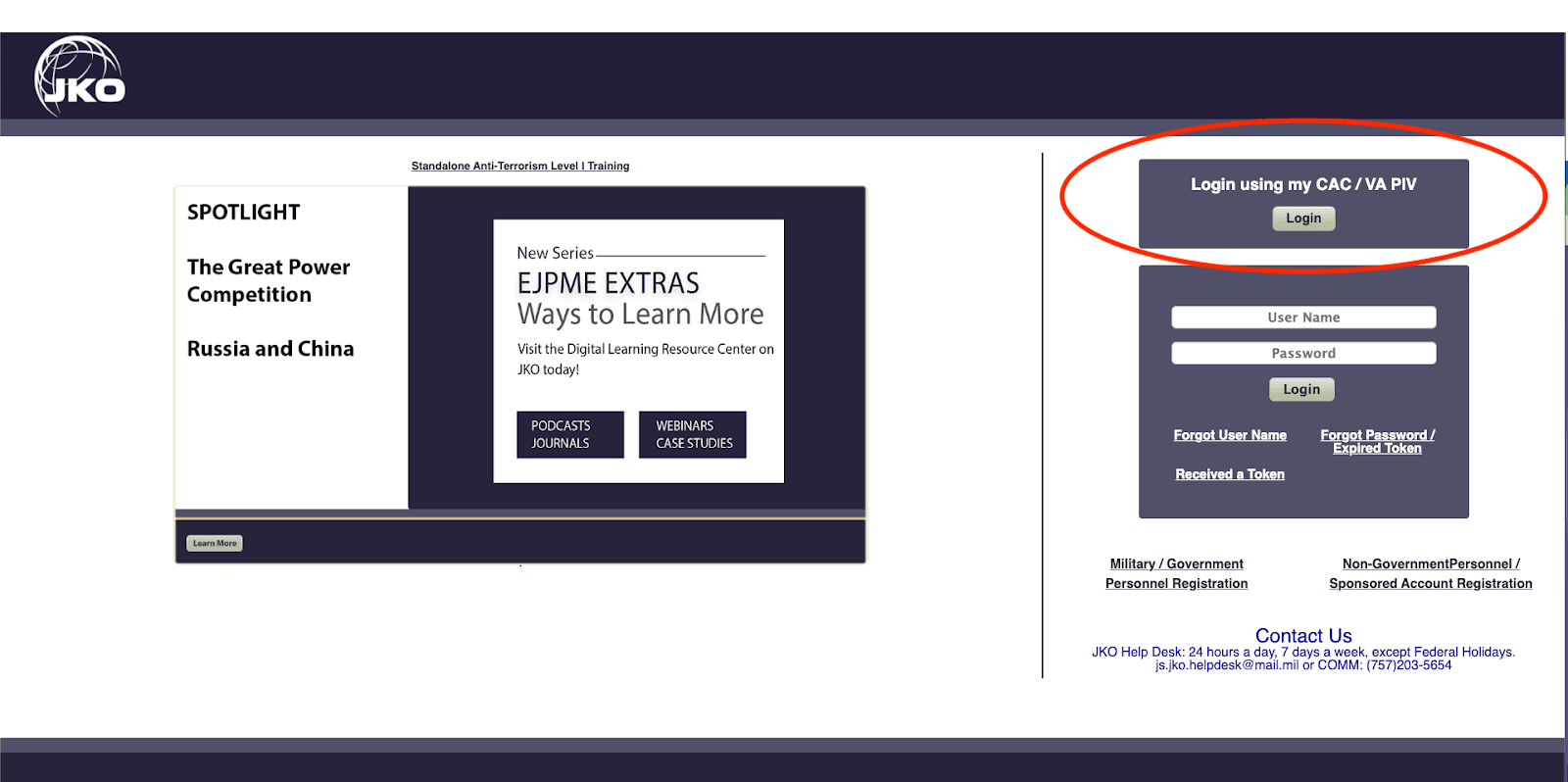
First, proceed to https://jkodirect.jten.mil. You will need a CAC to access this program. Click "Ok" on the pop up window. Next, click "Login" on the top right side of the screen.
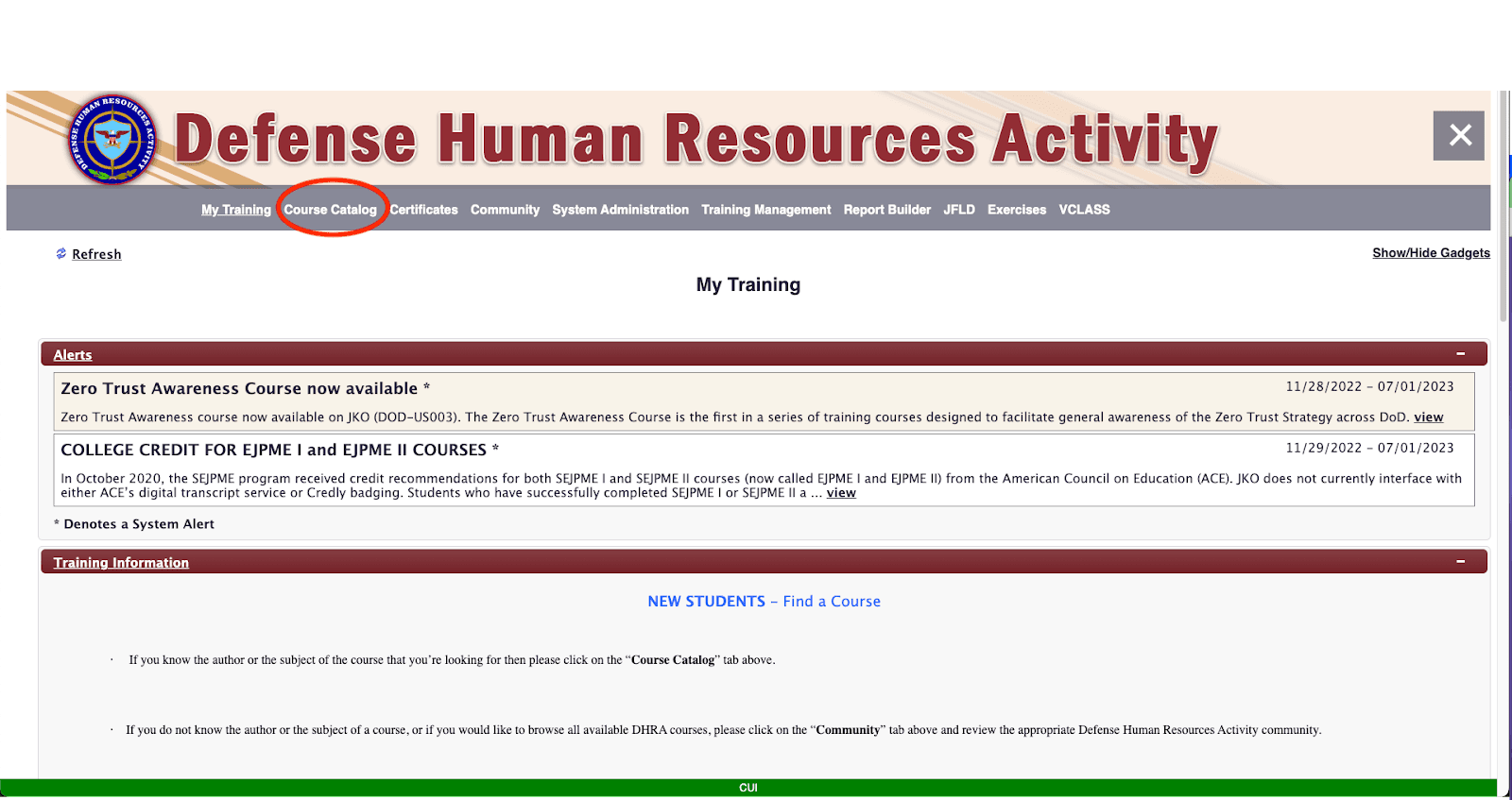
You will then enter your CAC pin and the login process will take you to the “My Training” tab. To access the courses, you will need to select “Course Catalog’.
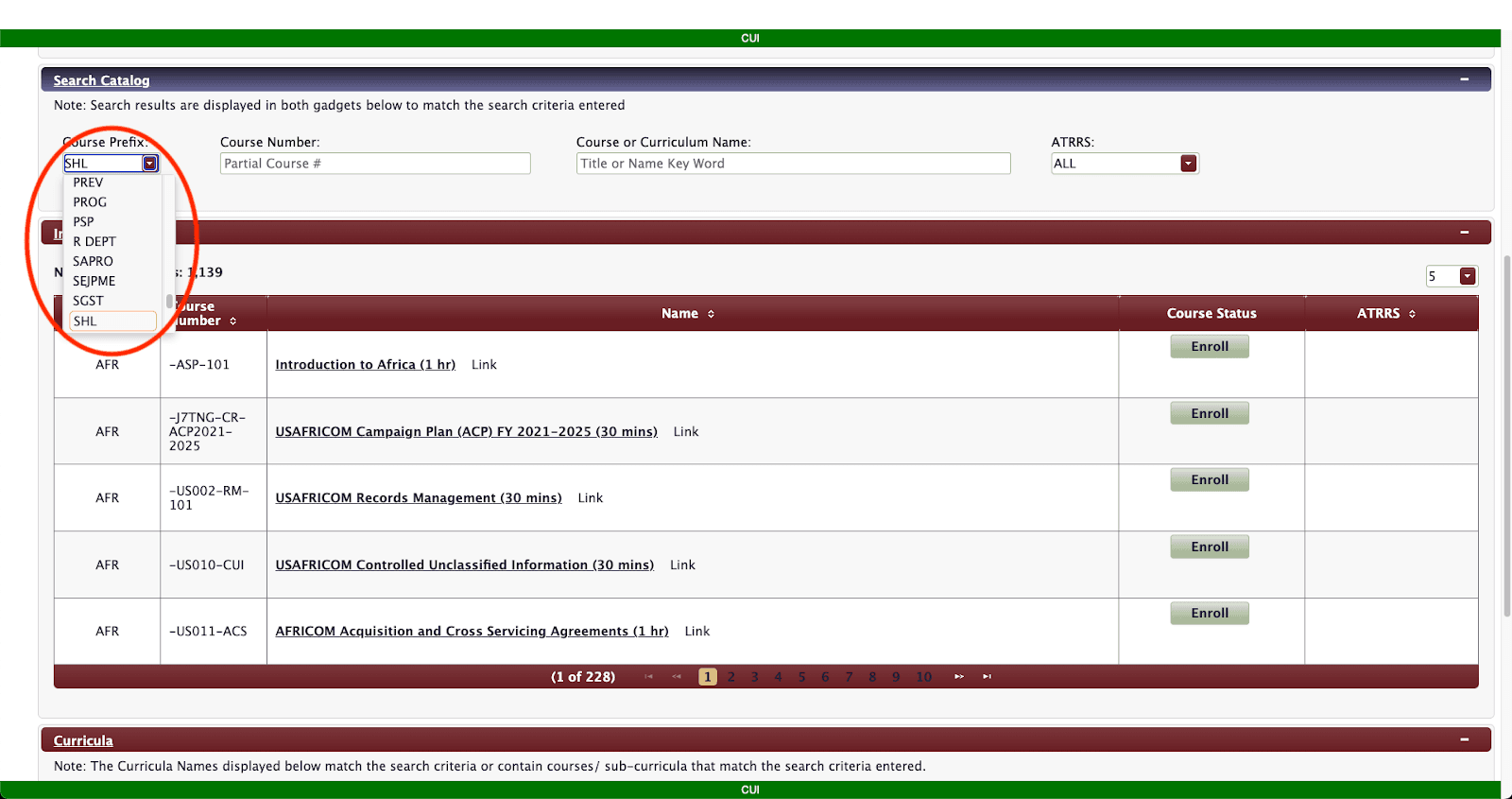
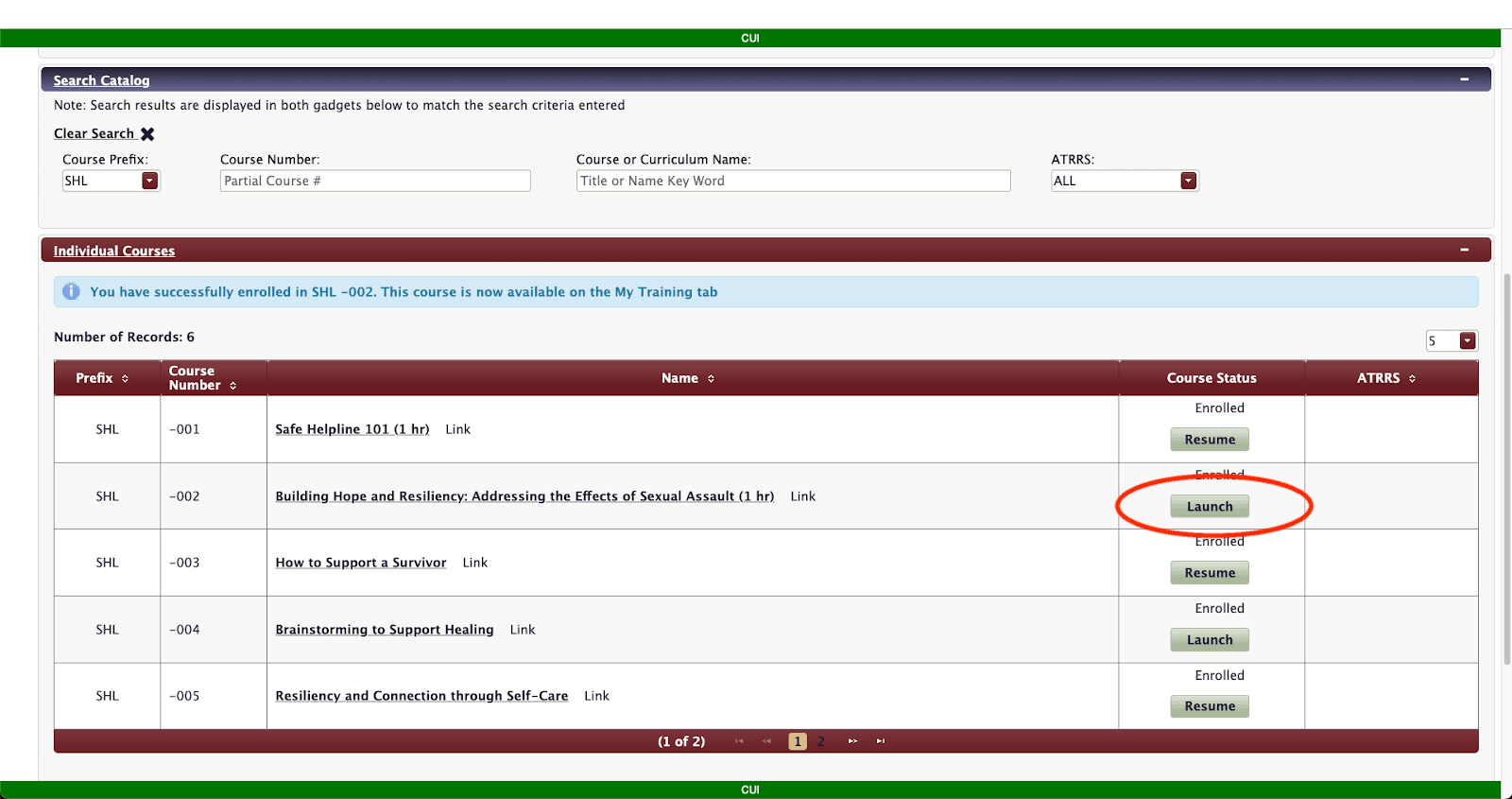
Next, scroll down to the “Search Catalog” section and in the “Course Prefix” dropdown, select “SHL”.
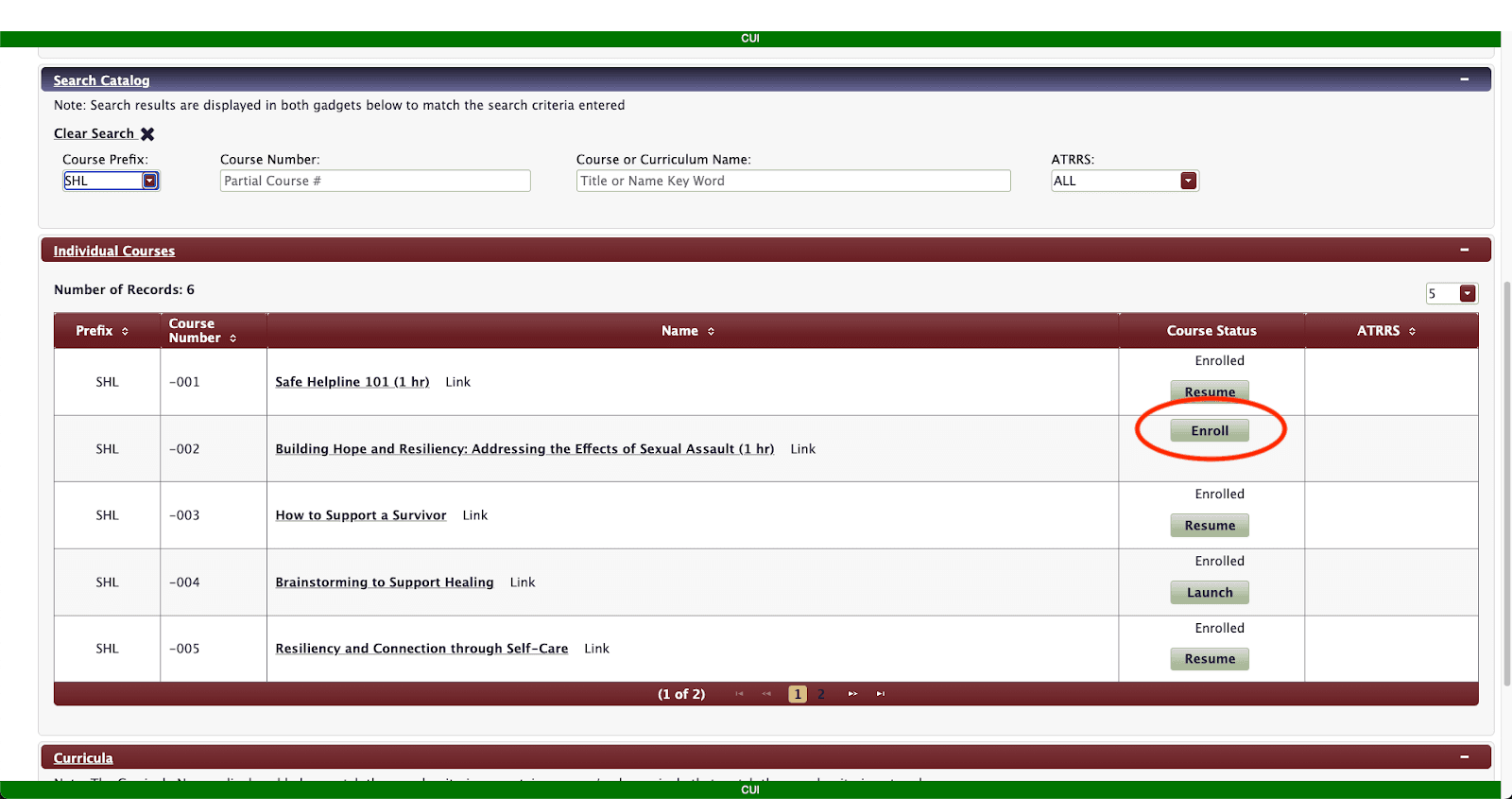
This will pull up the Safe Helpline courses available. Select “Enroll” next to the course you wish to enroll in.
Once you have enrolled in your desired course, click “Launch” to open the course.
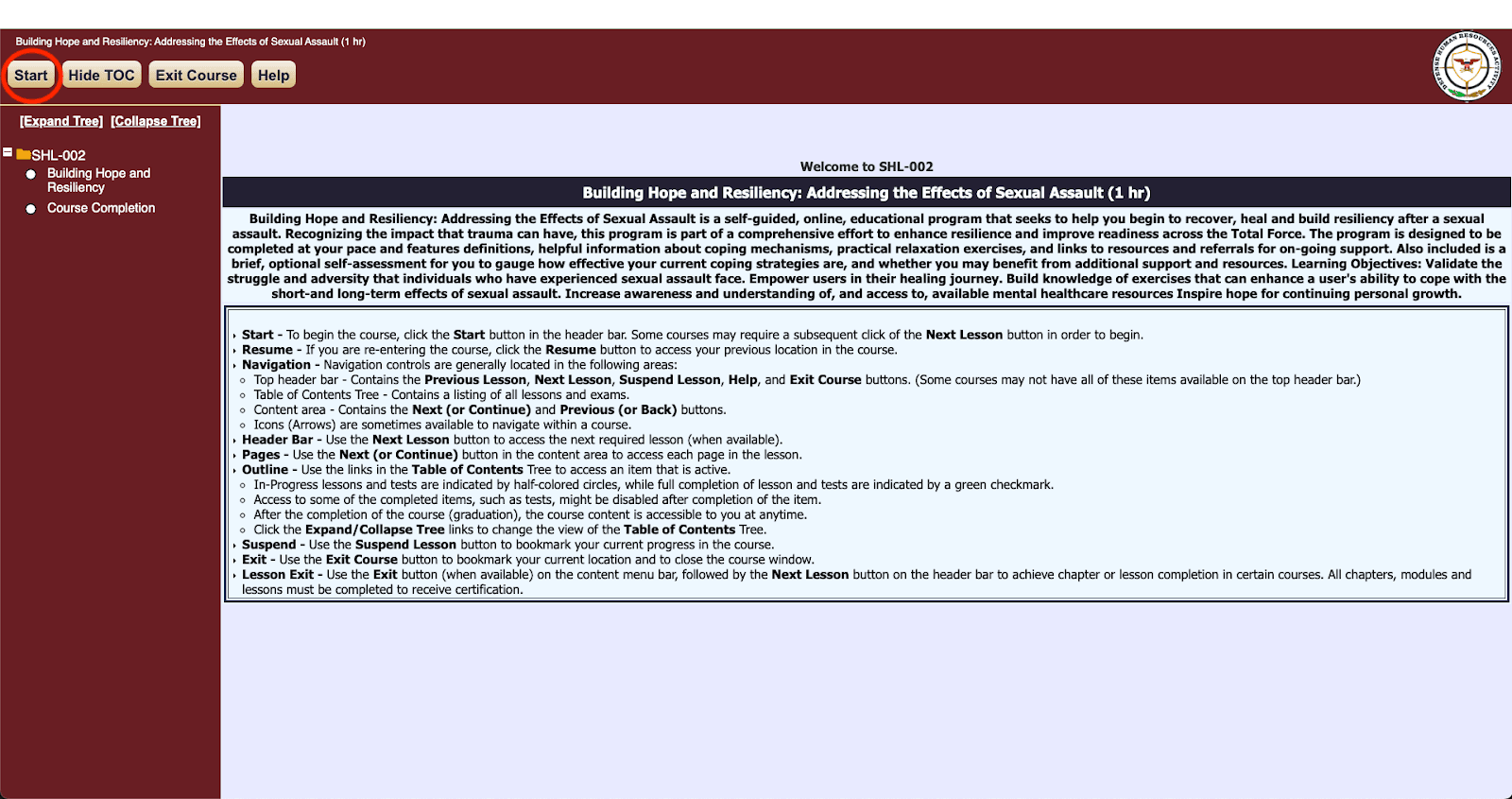
Once the course opens, you can click “Start” in the top left to begin taking the course.
If you experience any issues with the anonymous modules hosted on the Safe Helpline website, please reach out to outreach@safehelpline.org. For issues with the Joint Knowledge Online platform, please contact the JKO help desk.
877-995-5247